nizima LIVE 2.6 : Big Update!
Significant Tracking Accuracy Improvements, Effect Preset Renewal, and More
Hello, this is the nizima LIVE team.
We have released nizima LIVE 2.6, a tracking app for VTubers!
nizima LIVE 2.6 – New Features
★Significant Tracking Accuracy Improvements
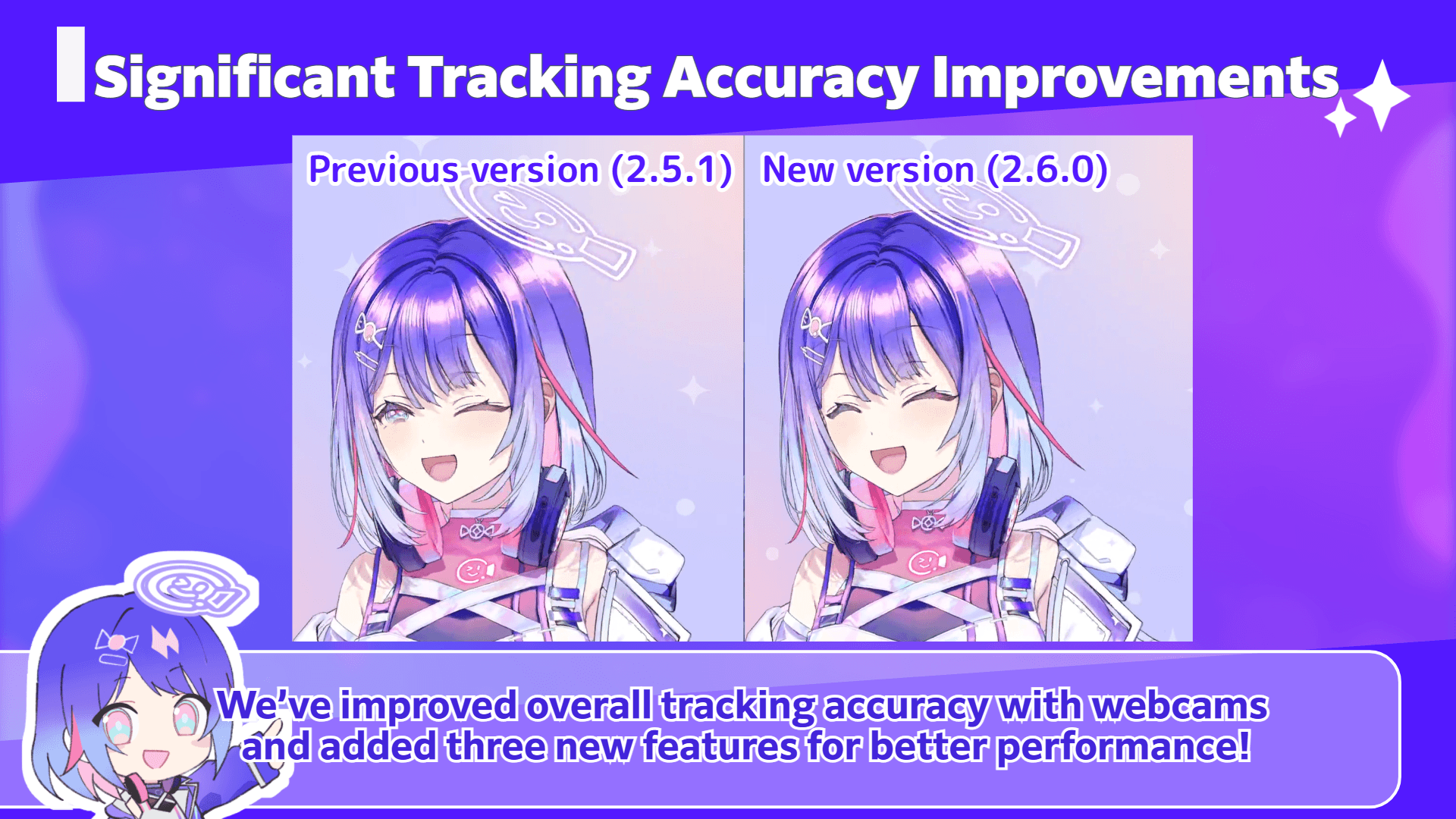
We’ve improved overall tracking accuracy with webcams and added three new features for better performance!
The tracking core function has been updated, greatly enhancing overall stability and accuracy.
– More stable tracking even when facing extreme directions, such as directly sideways
– Improved stability even without tracking correction enabled
– Reduced unnatural “sticking” effect when tracking correction is set to strong and the model turns sideways
– Improved detection of the palms-together gesture.
We’ve added a new “Adaptive Sampling” feature that continually optimizes tracking while running.
With this feature, the app will constantly adjust tracking in real-time to best suit the user’s situation.
How to use:
1. Open Camera Settings > Camera settings
2. Turn on the “Adaptive Sampling” option
Additionally, we’ve added two new features to reduce eye-blinking issues when facing sideways.
*These are test implementations and will be further improved in the future.
Blink Assistance for Non-Frontal Face:
Detects eyelid movement speed and automatically triggers a blink when the closing speed is consistent.
While this limits subtle expressions like half-open eyes, it helps reduce unnatural blinking.
Sync Left/Right Blinks and Eyebrows for Non-Frontal Face:
Synchronizes blinking and brow movement for both eyes, improving issues such as one eye closing unnaturally when facing sideways.
How to use:
1. Open Parameter Settings > Other Settings
2. Under the Blink tab, turn on “Blink Assistance for Non-Frontal Face” and “Sync Left/Right Blinks and Eyebrows for Non-Frontal Face:”
★Effect Preset Renewal & New Presets Added
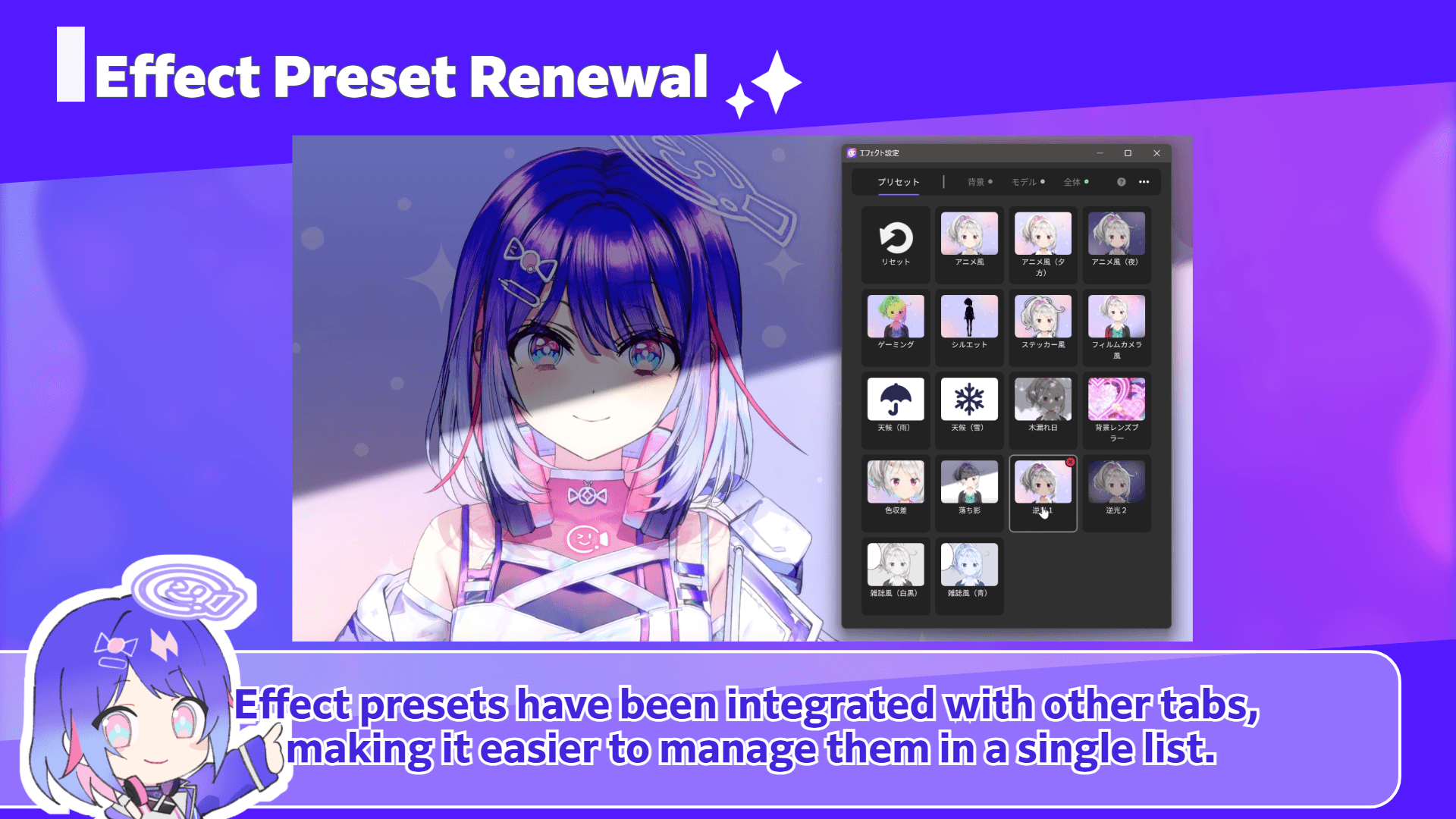
Effect presets have been integrated with other tabs, making it easier to manage them in a single list.
We’ve also added 10 new effect presets, including “Rain,” “Snow,” and “Chromatic Aberration,” and moved the reset button to a more accessible location.
With these updates, presets are now easier to use, letting you apply effects more intuitively with a single click!
How to use:
Open “Effect settings” from the main menu.
★New Effects Added
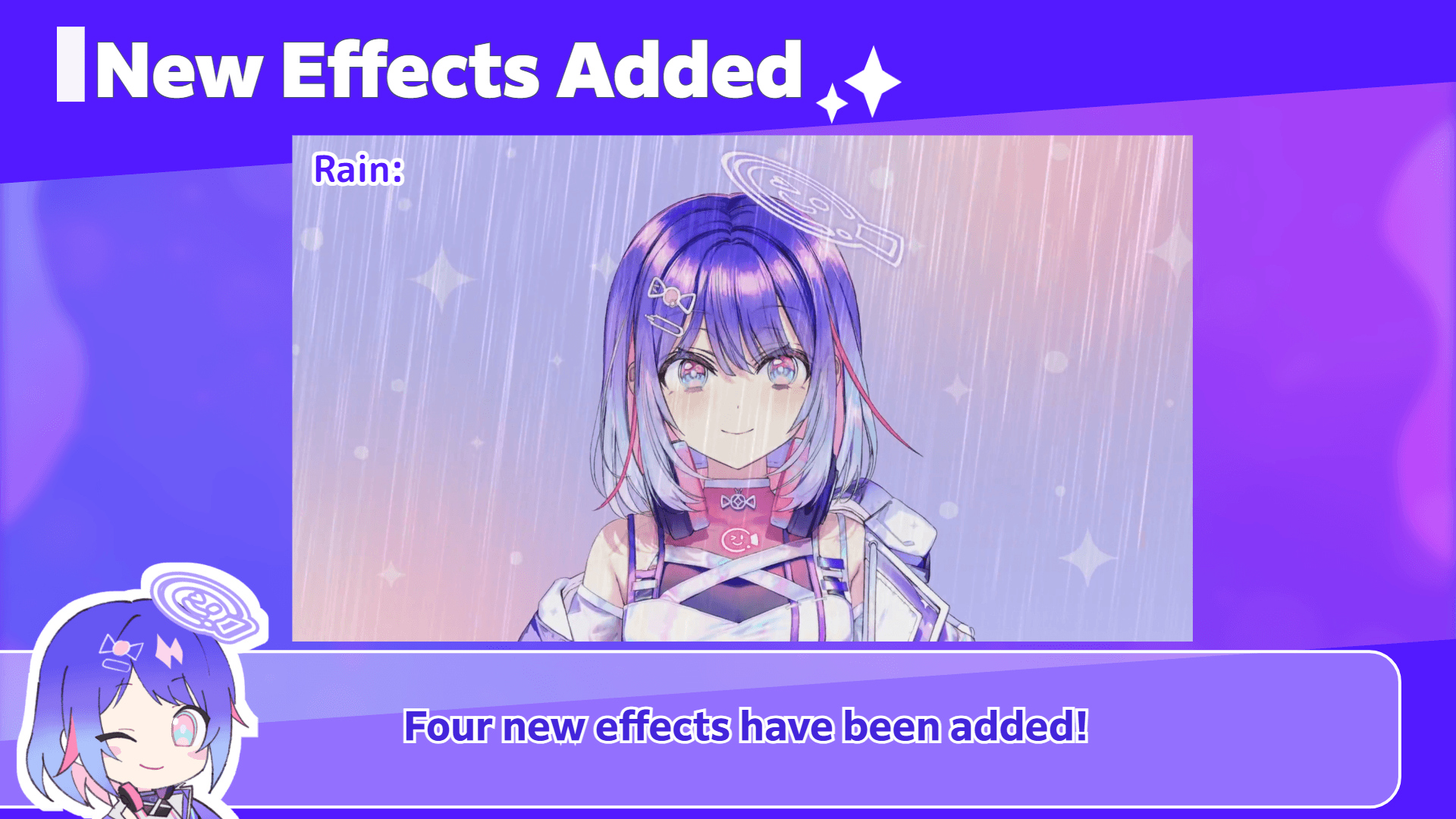
Four new effects have been added!
Rain:
Simulates falling rain. You can finely adjust amount, angle, wind, thunder, and more.
Sunlight Filtering Through Trees:
Creates the effect of light filtering through foliage. You can customize the shadow image, shadow position, light, wind strength, and more.
Light Leak:
An effect that simulates light leaks or bokeh in photos and videos. Color and patterns can be finely adjusted.
Color Grading:
Adjusts color tone and brightness to create specific atmospheres. You can change color presets (cinematic, retro, etc.) and tweak various parameters.
How to use:
1. Open “Effect Settings” from the main menu
2. Select “Background,” “Model,” or “Overall”
3. Click “+ Add Effect” and choose your desired effect
★GPU Scheduling Priority Setting (Windows Only)
You can now set how much GPU processing is prioritized when using other apps at the same time (Windows only).
When streaming games or running multiple applications, this helps reduce stuttering and delays even under heavy GPU load.
How to use:
1. On Windows, open Settings/Other> Option > Graphics
2. Set “Increase GPU Priority”
*In some environments, “Increase GPU Priority further” can also be set.
★Expression Combination Restriction Feature
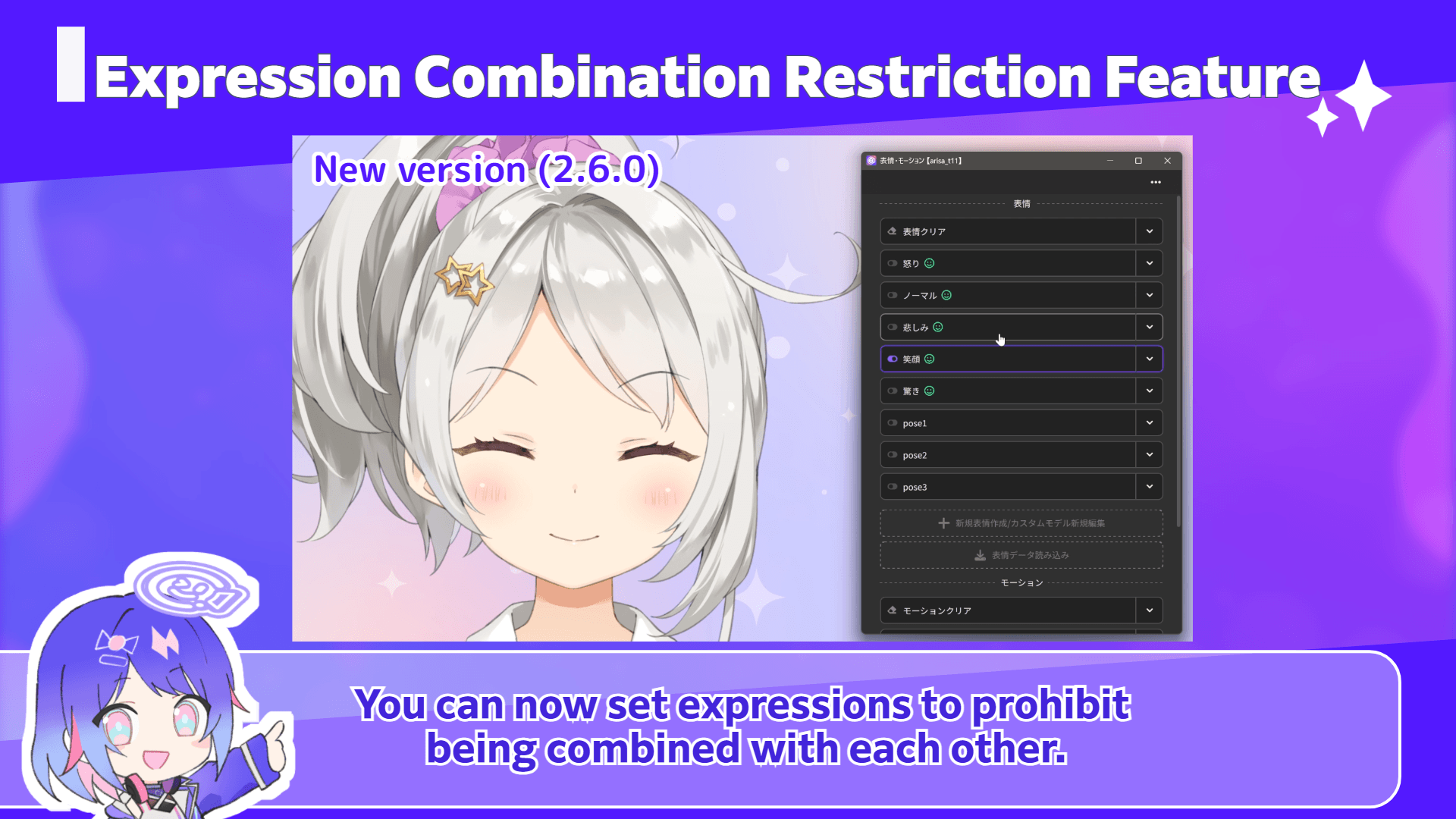
You can now set expressions to prohibit being combined with each other.
Expressions set as prohibited cannot be turned on at the same time, and only one can be active at once.
When you activate another prohibited expression, the previous one will automatically turn off, allowing for smooth switching with a single click.
This eliminates the need for manually turning off one expression before activating another, and prevents unintended combinations like smiling + crying, as modelers intended.
How to use:
1. Open Expression/Motion
2. Expand the target expression with ▼ and check “Prohibit combining with other expressions” in the options
3. When you turn on an expression with this option, any other prohibited expressions will automatically turn off
Other updates include:
• Script feature now allows you to create scripts with arbitrary code
◦ You can simply copy and paste code from blogs or social media and use the script feature without editing in a text editor.
• Item color changes now supported
• Greatly improved automatic translation quality
• Added API for recognizing plugins as tracking devices
• Other minor fixes
From this version, the macOS version will be provided only for Apple Silicon, for future development and quality maintenance.
For details, please see the announcement below:
https://nizimalive.com/en/topics/news/news20260331/
We will continue to update nizima LIVE to support your VTuber livestreams. Thank you.
▼Download/Update nizima LIVE (Windows/macOS)
https://nizimalive.com/en/download
▼Download/Update nizima LIVE TRACKER(iOS)
https://apps.apple.com/us/app/nizima-live-tracker/id1563679978?mt=8
The nizima LIVE Official Discord Server is OPEN!
We have opened the official Discord server for Nizima LIVE, where users can discuss, share their feedback, report bugs, ask questions, and more. We encourage you to join us!
▼Join the nizima LIVE Official Discord Server (free)
https://discord.live2d.app